
Note This! How Freelancers Can Fill Out Their Tax Return on Coretax
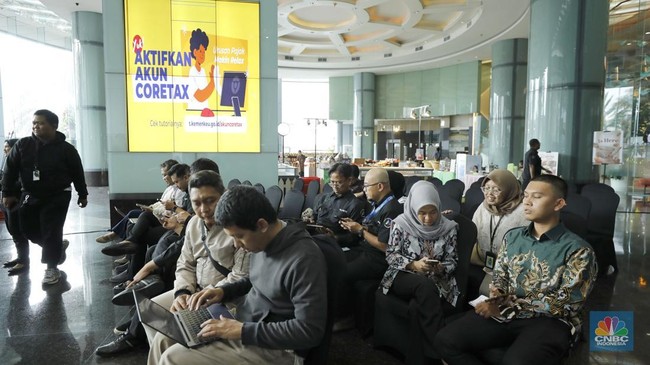
Jakarta, CNBC Indonesia - Every citizen with employment or income is required to report their taxes annually via the Annual Tax Notification (SPT Tahunan), and this includes freelancers or independent workers.
Starting this year, for the 2025 tax year SPT, reporting is conducted through Coretax. According to Government Regulation No. 55 of 2022, independent workers or freelancers include experts, consultants, doctors, accountants, notaries, appraisers, and other professions listed in the regulation.
Freelancers filing their annual SPT with income not exceeding Rp4.8 billion per year may use the Net Income Calculation Norm (NPPN).
Taxpayers can access Coretax via the website https://coretaxdjp.pajak.go.id/. Taxpayers only need to log in using their 16-digit NPWP (NIK), Coretax account password, and security code (captcha). Do not forget to create a tax authorisation code.
Here are the details:
User ID is filled with 16-digit NIK/NPWP
Password as per Coretax password
Language selection to choose English (en-US) or Indonesian (id-ID)
Security code (Captcha)
Login
Create NPPN, select Taxpayer Service Module
Select Menu: Create Administrative Service Application
For Taxpayer Service Type, select code: AS.04 Notification of NPPN Usage and Cash Basis Bookkeeping
Select Sub-Service Category AS.04-01 Notification of Net Income Calculation Norm (NPPN) Usage
Click “Save” to display the Case Details page
On the Case Details page, there is a case number for the NPPN usage notification application submitted
Select My Portal Module
Select My Cases Menu
If the NPPN usage notification has been approved by the Tax Office (KPP), the NPPN Notification Document will appear in the table under my cases list
The status of the NPPN Usage Notification Facility can also be viewed in My Portal Module → My Profile Menu → Active Facilities Tab
In the “Active Facilities” table, there are tax facilities that can be held by taxpayers, one of which relates to NPPN usage
Example SPT for Doctors
To make it easier, here is an example of filling out the SPT for a doctor in the freelancer category. The norm for doctors is generally 50%. The service for submitting the norm can now be done on the Coretax DJP platform. Without reporting NPPN on Coretax DJP, doctors cannot utilise the norm percentage for calculating taxable income, as was the case in previous years’ SPT submissions.
The doctor’s income to be reported in the annual SPT is categorised based on its sources. This categorisation will later be filtered through questions that appear in the main SPT on the Coretax DJP application.
Creating an SPT Concept
To submit the annual SPT on Coretax DJP, the first step is to create an SPT concept. On the website display, please click the “Tax Notification (SPT)” module, select the “Tax Notification (SPT)” menu. Click “Create SPT Concept”, select “Individual Income Tax”, then click “Continue”. Next, select “Annual SPT” and the period “January 2025-December 2025” to submit the 2025 tax year annual SPT. Then, on the next page, select the SPT model “Normal”, then click “Create SPT Concept”.
Filling the Main SPT
After completing the concept creation, the annual SPT list display will appear. Click the pencil button to fill the main SPT. When opening the main SPT, please check the header section. For filling income sources as a doctor, please select freelance occupation and recording method if annual income has not reached Rp4.8 billion.
The main SPT consists of sections A to J. Section A will mostly be filled automatically. This section contains taxpayer identity. Sections B to J contain “Yes-No” questions. These answers will determine the subsequent attachments that must be filled in detail.
Each taxpayer may receive income from several sources, so it is possible to click “Yes” for several income-related questions. Subsequently, attachments that must be filled will appear related to the previous answers.
Filling Attachments
The attachment that appears by default is attachment L1, which contains a list of assets, liabilities, list of family members, domestic net income from employment, and list of withholding/collection evidence for Income Tax.
Mandatory attachments to fill are the asset attachment at the end of the tax year and the family member attachment who are dependents. If there are no dependents, this section is filled with a hyphen (-). In the withholding/collection evidence list, if withholding evidence has indeed been created by the income provider, this section will be filled automatically.
Next, attachment 3B consists of a list of business activity locations, recapitulation of gross circulation for individual taxpayers with certain gross circulation subject to final tax, recapitulation of gross circulation for certain individual entrepreneurs (OPPT), and recapitulation of gross circulation for NPPN usage. For doctors using norms, please fill section C (gross circulation recapitulation for NPPN users).
Attachment L3A-4 consists of domestic net income from business and/or freelance work based on recording and other domestic net income. In this section, we will fill the norm to be used. Gross income will be filled automatically according to attachment 3B section C that was filled previously. For doctors, the norm used is 50%. Next, net income will also be filled automatically, which is the multiplication of the gross income recapitulation by the 50% norm.
It is important to remember, attachment L3B is used to fill the gross circulation of freelance work during one tax year. Gross circulation is recorded monthly based on the taxpayer’s records. Meanwhile, attachment L3A4 functions to calculate net income using NPPN. Taxpayers select the type of occupation