
Filing Tax Returns via Coretax Mobile: Here's How!
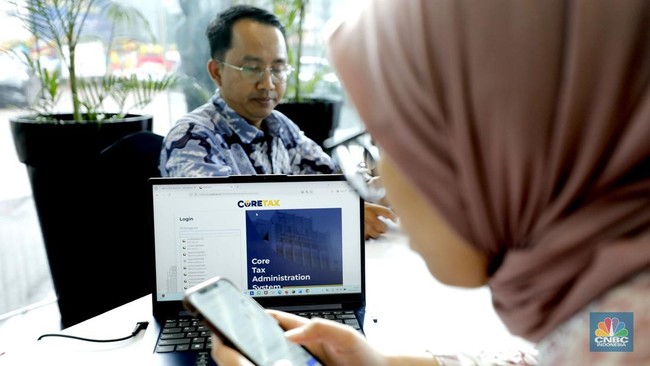
Jakarta, CNBC Indonesia - The Directorate General of Taxes of the Ministry of Finance has officially launched the Coretax mobile tax system. With this application, taxpayers can not only file their annual tax returns (SPT) through the website https://coretaxdjp.pajak.go.id, but also via the M-Pajak app. The Coretax Mobile/M-Pajak application can be used by individual taxpayers who have income sourced from a single employer, and for submitting normal annual SPT for personal income tax (PPh) (not corrections), with a nil annual SPT status (not overpayment or underpayment). However, if taxpayers wish to correct their annual SPT and/or the annual SPT status to be reported is overpayment or underpayment, they can file the annual SPT through the website https://coretaxdjp.pajak.go.id. So, how do you file the Annual SPT through the Coretax Mobile application? A DJP employee named Dewi Setya Swaranurani explained that, just like filing an annual SPT, there are several documents that taxpayers must prepare for filling out the Annual SPT. Namely, proof of withholding documents from the income provider. “Even though the withholding proof data is usually already synchronised in the Coretax DJP system, taxpayers are asked to prepare the withholding proof to ensure that the data displayed in the system matches the withholding proof received,” said Dewi, quoted on Friday (24/4/2026). Secondly, prepare documents for dependents and family members to fill in the non-taxable income (PTKP); taxpayers are expected to prepare their family card and withholding proof. And thirdly, documents for assets and liabilities. The list of assets must be filled in and cannot be skipped, while the liability ownership section may be left blank if there are no liabilities in the tax year. Data That Cannot Be Edited In filling out the annual SPT through Coretax Mobile, there is data that cannot be edited, such as taxpayer identity and family list. Therefore, taxpayers must edit this data through its source on the website https://coretaxdjp.pajak.go.id. This editing can be done through Coretax DJP by the taxpayer themselves or at the TPT counter at the KPP. Then, taxpayers can wait one day for the data synchronisation process. Taxpayers who have filed their annual SPT through Coretax Mobile/M-Pajak will be synchronised to the Coretax DJP system in approximately one hour. Here is the procedure for changing family tax unit data through Coretax DJP for taxpayers. 1. Log in via the website https://coretaxdjp.pajak.go.id using the population registration number (NIK). 2. Select “My Portal”. 3. Select “My Profile”. 4. Click on the “General Information” section, then click “Edit”. 5. Select the “Family Tax Unit” section, fill in the data according to the family card (KK). 6. Tick the taxpayer statement section, then click “Save”. 7. However, if taxpayers experience difficulties in this data change process, they can contact Kring Pajak 1500200 or visit the nearest tax office. If the Husband-Wife NPWP is Joint, Can Coretax Mobile Be Used? If husband and wife each receive income from a single employer, the answer is yes. The husband’s income from a single employer will be automatically filled in the application, and the wife’s income from a single employer will also be automatically filled. This automatically filled wife’s income must be deleted and moved to final income because the wife’s taxpayer identification number (NPWP) is joined with the husband. In this annual SPT filing, it must be ensured that the taxpayer’s annual SPT status is nil, not overpayment or underpayment. If the result is overpayment or underpayment, taxpayers must still file the annual SPT through the website https://coretaxdjp.pajak.go.id.