
Annual Corporate Tax Return Not Ready? Here's How to Request an Extension from the DJP
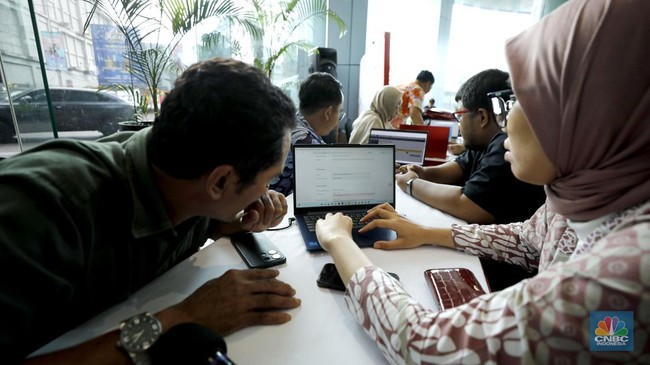
Jakarta, CNBC Indonesia - The beginning of the year marks the season for submitting annual tax notices (SPT) for taxpayers, both individuals and corporations. As is known, the deadline for submitting corporate annual SPT is four months after the end of the tax year. For those using a fiscal year aligned with the calendar year, the deadline is 30 April.
Nevertheless, it is not uncommon for companies to encounter obstacles in preparing their corporate annual SPT reports. This could range from incomplete financial statements to ongoing audits by public accountants, necessitating additional time and potentially exceeding the reporting deadline.
Sofia Ardhiana, an employee of the Directorate General of Taxes under the Ministry of Finance, explained that if it is anticipated that the corporate annual SPT submission will exceed the four-month limit after the tax year-end, there is a “facility” or leniency that can be applied for.
Taxpayers can first submit a notification for an extension of the SPT annual submission period.
This is stipulated in the General Provisions and Tax Procedures Law (UU KUP). Under Article 3 paragraph (4) of the UU KUP, taxpayers may extend the SPT annual submission for a maximum of two months by submitting a written notification or other means to the Directorate General of Taxes (DJP).
“Given that all tax services can now be easily submitted using the DJP’s Coretax, notifications for extensions of the SPT annual submission period have become even simpler. The application can be done online without needing to visit a tax office,” Sofia wrote, quoted on Friday (17/4/2026).
Here are some requirements for applying for an extension of the submission period:
Submission Time
Based on Minister of Finance Regulation Number 81 of 2024 concerning Tax Provisions in the Implementation of the Core Tax Administration System, the SPT annual extension notification can only be submitted no later than four months after the end of the tax year.
“So, ensure that taxpayers do not miss the time to submit the notification for an extension of the SPT annual submission period,” she wrote.
Second Requirement: Documents to Prepare
Second, taxpayers must prepare several supporting documents as regulated in the Director General of Taxes Regulation Number PER-11/PJ/2025 concerning Income Tax Reporting Provisions, Value Added Tax, Luxury Goods Sales Tax, and Stamp Duty in the Implementation of the Core Tax Administration System (PER-11/2025). The following are the documents that must be prepared according to Article 97 paragraph (6) of PER-11/2025:
provisional calculation of income tax (PPh) payable for the tax year whose submission deadline is extended;
provisional calculation of PPh Article 26 paragraph (4) for permanent establishment taxpayers;
interim financial statements;
tax deposit slip (SSP) or other administrative means equivalent to SSP as proof of payment of any tax shortfall, if there is a tax payment shortfall; and
a statement letter from the public accountant stating that the financial statement audit is not yet complete, if the financial statements are audited by a public accountant.
If the SPT annual PPh extension notification is signed by the taxpayer’s representative, the extension notification must be accompanied by a special power of attorney in accordance with tax regulations.
How to Submit on DJP Coretax
Once the documents are prepared, the next step is submission on DJP Coretax. The procedure is as follows.
Log in to the DJP Coretax page (https://coretaxdjp.pajak.go.id) via the corporate taxpayer’s person in charge (PIC), then impersonate to the corporate taxpayer.
Select the “Taxpayer Services” menu > “Administration Services” > “Create Administration Service Request”.
Select “Power Designation Number”.
Select “AS.08 Notification of Extension of SPT and SPOP Submission Period”, then proceed by selecting “AS.08-01 LA.08-01 Notification of Extension of Annual SPT Submission Period”.
Then click “Save”.
The page will proceed to the newly created case.
Select “Case Flow”.
On the select form, choose “Notification of Annual SPT PPh Submission Period for Corporate Taxpayers”. For taxpayers maintaining books in US dollars, select “Notification of Annual SPT PPh Submission Period for Corporate Taxpayers Permitted to Maintain Books in US Dollars”. Then click “Save”.
Then, at the bottom, click “Next”.
After selecting the form, proceed to fill in the required data.
Upload supporting documents such as provisional PPh calculation, interim financial statements, and public accountant statement.
If there is a payment, select the payment data in the “NTPN/Pbk” section.
If there is PPh that must be paid upon SPT annual extension submission, create billing code 411618-200 and make the payment, so that the payment can be selected.
After all supporting documents are uploaded, tick the “Taxpayer Statement”, then click “Save”.
After clicking “Save”, at the bottom there is “Output Document - CTAS” that must be created.
Click “Create PDF”.
Then click “Sign” and perform electronic signing.
Ensure the signed document changes in the “Signed” section from 0 to 1. Then, click “Send”.
After clicking “Send”, the system will proceed to the next step. Then, click “Next”.
If the SPT annual submission extension approval has been granted, it can be checked in the “Facilities List” on Coretax. The “Facilities List” can be accessed through