
Stay Alert: Effective Tips to Protect Your Phone from Hacking
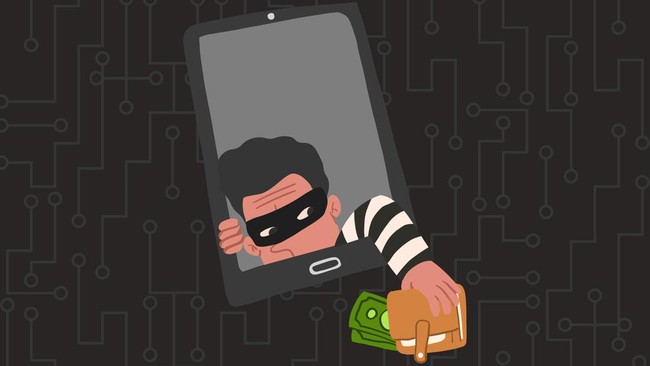
Smartphone users face cyber threats through vulnerabilities associated with public Wi-Fi and Bluetooth left switched on. These risks could also put their bank accounts in danger.
As such threats grow, users need to improve device security, as mobile phones have become a primary means of carrying out financial transactions.
The US National Security Agency (NSA) has issued mobile-device security guidance offering practical steps to protect Android phones and iPhones without installing additional apps.
One vulnerability to watch out for is the use of public Wi-Fi in places such as shopping centres, cafés, railway stations and airports. Such networks could be exploited by cybercriminals to launch attacks or steal personal information from unwary users.
The NSA also highlighted everyday habits that are often overlooked, such as leaving Bluetooth on when it is not in use. Users are advised to switch off any connectivity features they do not need and regularly update their operating systems and apps to address known security vulnerabilities.
Similar risks arise when people charge their phones in public places. Users are advised not to connect their devices indiscriminately to public USB ports, and to use their own trusted power adapters and electricity sources instead.
In Indonesia, the Financial Services Authority (OJK) has also urged the public to remain vigilant when carrying out digital transactions. Users should protect their personal data, access codes, PINs and one-time passwords (OTPs), and never share this sensitive information with anyone claiming to represent a bank or financial institution.
Protecting a device involves more than just using a password. Enabling a strong screen lock and biometric authentication, turning on automatic updates, and avoiding suspicious links and apps can reduce the risk of devices and financial accounts being misused.
Ultimately, phone security depends greatly on users’ discipline. Limiting the use of untrusted networks, switching off unnecessary connections and keeping transaction details confidential are simple steps to prevent a phone becoming a gateway to bank-account theft.
Tips for keeping your phone safe
Use a six-digit PIN and enable automatic data wiping after 10 incorrect passcode attempts. Avoid birthdays, sequences of numbers or patterns that others could easily guess.
Turn off Bluetooth after use. Do not leave it switched on in public places, where it could be exploited by malicious parties to install data-stealing software from nearby.
Avoid using public Wi-Fi for financial transactions. Free networks in shopping centres, cafés, airports and railway stations are attractive targets for data theft. Also delete saved Wi-Fi networks so your phone does not connect automatically to unfamiliar ones.
Avoid charging your phone at public sockets. Public charging points may expose devices to malware through USB cables. Always use your own cable and charger.
Download apps only from official stores such as Google Play Store or Apple App Store. Delete apps you no longer use so they cannot become security vulnerabilities.
Update your operating system as soon as an update becomes available. These updates do more than change the appearance of your device: they also patch vulnerabilities already known to cybercriminals.
Do not open attachments from unknown senders. Ignore pop-ups or unexpected notifications that pressure you to download something.
Do not modify your phone’s operating system—by rooting an Android device or jailbreaking an iPhone—as this can disable the device’s built-in protections.
Restart your phone once a week. This simple step is said to help clear spyware that may be concealed in the phone’s temporary memory.
How to bank safely on your phone
Never tell anyone your PIN, password or OTP, including someone claiming to work for your bank. A legitimate bank will never ask for these confidential details.
Do not store PINs or passwords on your phone as notes, photos or text messages. Memorise them or keep them somewhere secure and not connected to the internet.
Carefully check the recipient’s name and the transfer amount before confirming a transaction. A mistake of just one digit could send your money to a criminal’s account.
Wait for the bank’s official notification after making a transaction and read it carefully. If you spot a transaction you did not make, contact the bank’s official customer service immediately using the number printed on the back of your ATM card.
Tell your bank immediately if your SIM card is lost or changes hands so that the number can be blocked from banking access. Criminals often steal phone numbers to take control of victims’ accounts.
Always log out of your banking app when you have finished using it. Do not leave your transaction session open.
If you are replacing your phone, make sure all banking-app data has been fully deleted and cleared before handing the device to someone else.