
No Need to Visit the Office: Evidence of Article 21 PPh Deduction Can Be Downloaded via TASPEN's Digital Service!
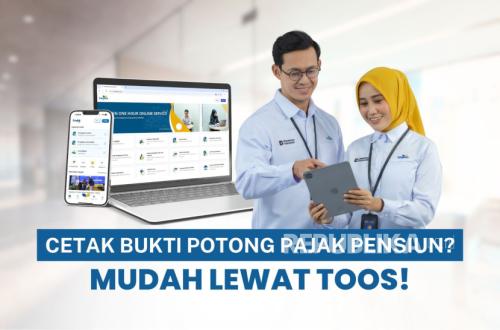
PT TASPEN (Persero) continues to provide service conveniences for pensioners, particularly in accessing tax documents needed for annual Income Tax (PPh) Personal Notification Letter (SPT) reporting for the 2025 tax year.
Through TASPEN’s official digital service channel, participants can independently, quickly, and securely download the Article 21 PPh Deduction Certificate for pension benefits without visiting a branch office, making e-Filing DJP Online reporting more efficient.
This facility ensures that tax administration processes can be carried out more practically and efficiently.
TASPEN’s Corporate Secretary, Henra, stated that TASPEN is committed to providing ease for pensioners in fulfilling their tax obligations.
“We remind you that pension benefits are legitimate taxable objects under the law. For participants with a Taxpayer Identification Number (NPWP), annual SPT reporting is a tangible contribution to nation-building,” he said in a statement on Wednesday (25/3/2026).
Access and Printing of Article 21 PPh Deduction Certificate
To facilitate participants in meeting their annual SPT reporting obligations, the Article 21 PPh Deduction Certificate can be accessed through the following service channels:
- Through TOOS (TASPEN One Hour Online Service)
Participants can access and download the Article 21 PPh Deduction Certificate independently via the TOOS service by logging in with their registered Participant Number/NIP and password.
- Through TASPEN Branch Offices
Participants needing assistance can visit the nearest TASPEN Branch Office, bringing identification, to obtain printing services for the Article 21 PPh Deduction Certificate.
- Through the Directorate General of Taxes’ Coretax System
The Article 21 PPh Deduction Certificate can also be accessed via the Directorate General of Taxes’ Coretax system, subject to data availability, using each participant’s tax account.
Technical Instructions for Independent Printing of Article 21 PPh Deduction Certificate via TOOS
As a guide for participants in accessing and printing the Pension Tax E-SPT independently, the following official steps can be followed:
Open the TOOS website at tos.taspen.co.id
Log in with a registered account, or sign up if you do not have an account.
Click on the Pension Tax Deduction Certificate menu.
Select the SPT Year, then click Check Deduction Certificate.
Then click print to print the Deduction Certificate in PDF format.
Printing the Deduction Certificate is complete and will appear in PDF form.
As a Center of Excellence in managing social security for Civil Servants, TASPEN continues to ensure that all service channels operate optimally, responsively, and are easily accessible to all participants, including in supporting tax administration needs.
If participants experience difficulties with login, registration, or printing E-SPT, pensioner participants can contact TASPEN’s official Call Center at 1500919 or visit the nearest PT TASPEN (Persero) Branch Office for direct service assistance.
To avoid inaccurate information, participants are urged to ensure all information is obtained through the company’s official website and official TASPEN social media channels.