
I Used the Infinix Xpad Edge Tablet for Two Weeks for Work — Can It Replace a Laptop?
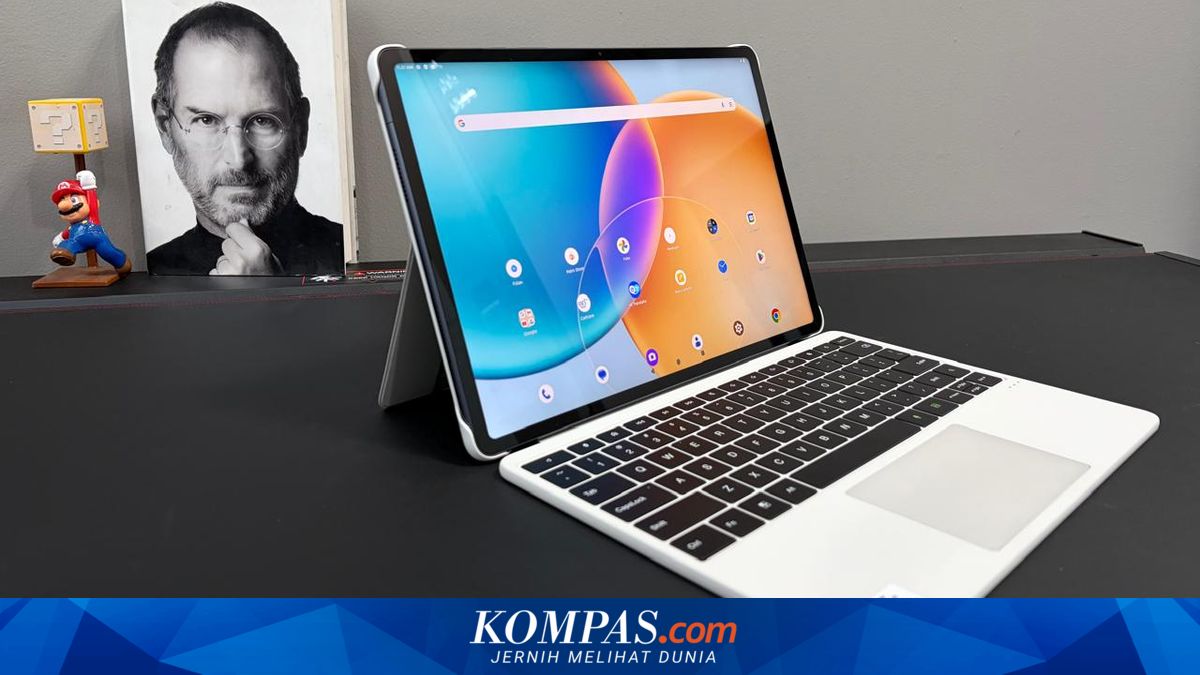
The first impression of handling the Infinix Xpad Edge is its design, which is quite appealing. The tablet looks minimalist with a body that feels solid and relatively premium. The 13.2-inch display is one of the main attractions. Its size is large enough for work, watching videos, or opening documents. What’s interesting is that the screen is designed to be comfortable for the eyes. It carries certification to make the display more eye-friendly, plus a night light feature to reduce blue light. During the two weeks of use, I often worked for extended periods in front of the tablet. Fortunately, my eyes did not tire quickly. Another immediate advantage was the purchase package. The tablet comes with a keyboard and a digital pen in the box. This is a significant plus. Many other tablets typically sell the keyboard separately and can be quite expensive. That keyboard also includes a touchpad, which makes the experience feel more laptop-like. When opening documents or switching between applications, I didn’t always have to touch the screen. It was enough to use the touchpad for navigation. Having the touchpad proved very helpful, especially when drafting long articles or editing documents. During the two weeks of typing with this keyboard, my experience was quite positive. Although made of plastic, the Infinix Xpad Edge keyboard feels sturdy and not flimsy. The keys are comfortable to press. Typing long articles or documents felt quite pleasant, even after several hours of use. However, there is a caveat about the touchpad. Sometimes the touchpad feels less precise. The pointer can drift from the desired position. This occurs more often when the finger or hand is sweaty. This issue isn’t enormous, but it is noticeable when working quickly.