
How to Use the DJP’s Latest Tax Penalty Relief through Coretax
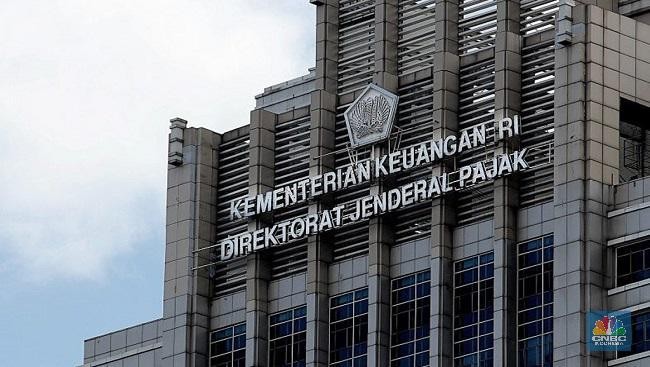
Jakarta, CNBC Indonesia — The Ministry of Finance’s Directorate General of Taxes (DJP) is running a programme to reduce or waive administrative tax penalties following the issuance of Director General of Taxes Decision KEP-239/PJ/2026 on 8 October 2026.
The decision refers to Minister of Finance Regulation (PMK) No. 71 of 2026, which allows the Director General of Taxes to make special arrangements to reduce or waive administrative penalties, or reduce administrative land and building tax (PBB) fines, for eligible tax documents.
The Programme for the Reduction or Waiver of Administrative Penalties Guide to PMK 71/2026, obtained by CNBC Indonesia, stresses that KEP-239 is different from a tax amnesty.
“This decision does not grant forgiveness for tax that should be payable and does not cancel the tax principal. The facility is limited to the reduction or waiver of certain administrative penalties, provided the taxpayer meets the requirements and receives a decision from the Director General of Taxes,” the guide states, as quoted on Monday (26 October 2026).
The DJP nevertheless acknowledges that the latest policy has a limited connection with the Voluntary Disclosure Programme (PPS). KEP-239 covers penalties in tax assessment letters (SKP) issued following audits of assets that PPS participants had not disclosed, or had under-disclosed, subject to specific deadlines for issuing the assessments and making payments.
“This specific coverage does not make KEP-239 a new disclosure or amnesty programme. Any tax principal that arises must still be paid,” the guide states.
The DJP has set up the application process through its tax administration core system, Coretax DJP. The following instructions are drawn from the Programme for the Reduction or Waiver of Administrative Penalties Guide to PMK 71/2026 and KEP-239/PJ/2026.
To apply for a Reduction or Waiver of Administrative Penalties (PSA):
Go to https://coretaxdjp.pajak.go.id and click “Continue to Login”.
Enter the PIC’s NIK/NPWP, the PIC’s Coretax password, complete the verification check and click “Log in”.
If applying on behalf of a company or another taxpayer, select the account of the company or taxpayer being represented [7].
To check outstanding tax, select “Payments”, then “Create Billing Code for Tax Bills”. Note the assessment number and due date for which you intend to apply.
To submit a PSA application, select “Taxpayer Services”, then click “Create Administrative Service Request”.
Select the appointment number, choose the “Objection and Non-Objection” field, and select sub-service category AS.26-03 LA.26-03: Application for Reduction or Waiver of Administrative Penalties (Article 36(1)(a) of the KUP Law).
Select the case workflow and enter the date and reference number of the application letter.
If the application is submitted by a representative or authorised agent, complete the white fields.
Select “Force Majeure” or choose “No” if applying for PSA under KEP-239/PJ/2026. Then click the magnifying-glass button.
Click “Refresh” to display the list of tax assessments. If the list does not appear, set the transaction date to the assessment issue date—for example, 1 November 2024 to 31 December 2024.
Click “Select” for the assessment for which you are seeking a penalty reduction or waiver. Some fields will be filled in automatically based on the selected assessment.
Choose whether you are applying for a reduction or a waiver.
Enter the amount of the administrative penalty as calculated by the taxpayer, then click “Add Data” to provide the reason for the application. Enter the reason and click “Save”.
Click “Add Data” to enter the type and number of supporting documents. Enter the document type and quantity, then save.
Click “Validate” and check that no error notification appears. Then click “Save” again.
Select the case documents field and click “Upload”. Complete all fields marked with an asterisk, including uploading scanned attachments such as the SKP/STP for which relief is sought, a statement that the administrative penalty arose through inadvertence and not an error, and a declaration that no lawsuit or other legal action has been filed.
Once all files have been uploaded, return to the case workflow menu.
Click “Next”, then “Create PDF” to generate the application letter.
Select the letter classification and click “Save”. To approve the application document, click “Yes”.
Coretax will generate a draft PDF application letter. Click “Download” to save it.
Click “Sign” to sign digitally, enter the signing passphrase and confirm the signature.
Once the signature is successful, the signed field will display “1”. Click “Next” to submit the application.
The application workflow is complete when the status shows “Case Closed” and “Script Executed Successfully”.
If the application is successfully submitted, the taxpayer will receive an acknowledgement of receipt.
The penalties eligible for reduction or waiver include those for late filing of annual income tax returns (SPT) up to the 2025 tax year, and monthly tax returns through the September 2026 tax period that show an underpayment.
The programme also covers penalties for voluntary amendments to tax returns, late tax payments or remittances, and penalties in tax assessment and tax collection letters (STP), including administrative PBB fines.
The level of relief depends on when the taxpayer acts. For late returns, amendments and late payments, the relief is 100% for action taken between 8 October and 31 December 2026; 50% between 1 January and 31 March 2027; and 25% between 1 April and 30 June 2027.
Source: jawawa.id (https://jawawa.id/newsitem/how-to-use-the-djps-latest-tax-penalty-relief-through-coretax-1792990264)
Originally published by CNBC Indonesia (https://www.cnbcindonesia.com/news/20261026101912-4-779382/cara-manfaatkan-penghapusan-sanksi-pajak-djp-terbaru-lewat-coretax), translated from Indonesian