
How to Remove Objects from Photos on the Galaxy S26 Series Using Photo Assist
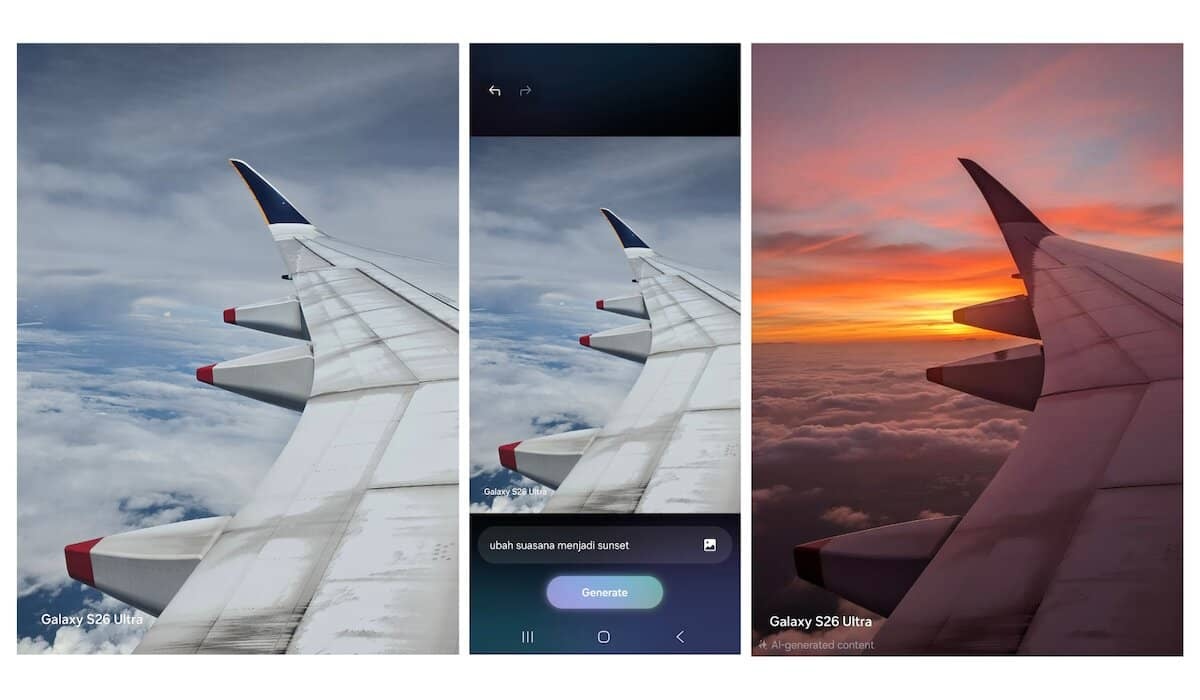
Have you ever taken a photo that is perfect but spoiled by unwanted objects or people in the background? For Samsung Galaxy S26 Series users, this problem can be solved in seconds. Thanks to the increasingly advanced Galaxy AI integration, you can now clean photos professionally directly from the built-in Gallery.
The Photo Assist feature on the Galaxy S26 Series uses Generative AI technology to not only remove objects but also fill the vacant space with details that look very natural.
Here is a complete guide on how to use it without needing to download a third-party app.
Make sure your device is connected to the internet for optimal AI processing results, then follow these steps:
Important Note: Because the Galaxy S26 Series uses Generative AI, the edited results will include a small watermark in the corner of the photo and special metadata to indicate that the image has been modified by AI.
With Photo Assist on the Galaxy S26 Series, the need for heavyweight photo editing apps like Photoshop is diminishing for everyday use. This convenience ensures every moment you capture looks perfect without visual distractions.
Learn how the 2026 Samsung ecosystem integrates the Galaxy S26 Series and Galaxy Buds4 Series through Galaxy AI for maximum productivity.
Unlike last year, consumers this time must dig a little deeper into their pockets due to a fairly significant price increase across all variants.