
How to Prevent Phone Hacking and Account Draining: Tips from the NSA and OJK
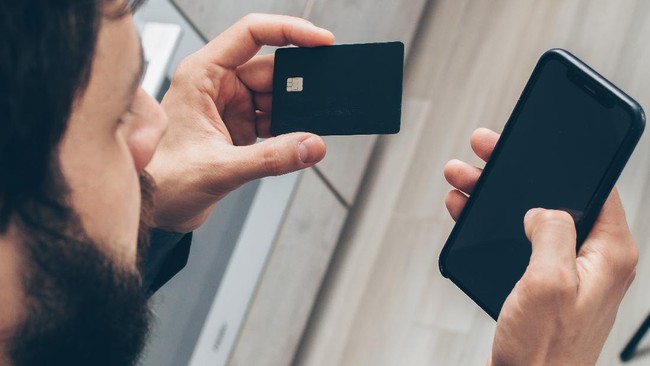
Cybercrime targeting mobile phones and savings accounts in Indonesia is becoming more sophisticated and can occur anywhere. Data theft methods no longer rely solely on chain messages but now infiltrate through free WiFi networks in malls, cafes, stations, and airports that people use daily without suspicion. Many victims lose millions to tens of millions of rupiah, not because they were careless, but because they were unaware of seemingly trivial gaps that serve as entry points for cybercriminals.
In Indonesia, nearly all aspects of life, from buying vegetables and paying bills to sending money to family, are now conducted via mobile phones. Therefore, maintaining phone security is equivalent to safeguarding the assets of the entire family. A single small oversight, such as leaving Bluetooth on or charging at a public outlet without a second thought, can have fatal consequences. This is why security guidance from the United States National Security Agency (NSA), now summarised and adapted to Indonesian conditions, is crucial for all levels of society.
The guide titled Mobile Device Best Practices released by the NSA contains simple steps proven highly effective at closing gaps frequently exploited by cybercriminals. All these steps can be applied by anyone, whether on Android or iPhone, without installing any additional applications. It only requires discipline and awareness that a phone is not merely a communication tool but a gateway to all the assets stored in one’s bank.
Based on NSA findings and case-handling experience in Indonesia, cybercriminals most often exploit negligence in matters considered trivial. They do not attack with unimaginably advanced technology but rather take advantage of bad habits people practise daily without realising it. Therefore, the best protection is actually simple: change habits, tighten security settings, and never feel safe just because a phone is protected by a password.
The Financial Services Authority (OJK) has also summarised specific guidance so that Indonesians not only protect their devices but also understand how to transact safely. The combined guidance from the NSA and OJK provides a complete toolkit that can protect against nearly all types of cyberattacks currently circulating. Here is the complete guide.
Protect your phone to stay safe:
Use a six-digit PIN and activate the automatic data wipe feature after 10 incorrect password attempts. Do not use birth dates, sequential numbers, or patterns that are easy for others to guess.
Turn off Bluetooth after use. Do not leave it on in public places as it can be exploited to inject data-stealing programmes from close range.
Avoid public WiFi for any financial transactions. Free networks in malls, cafes, airports, and stations are hotbeds of data theft. Also delete saved WiFi network lists so the phone does not automatically connect to unfamiliar networks.
Avoid charging at public outlets. Outlets in public places can inject data thieves through cables. Use only your own cables and chargers.
Install applications only from official stores such as Google Play Store or App Store. Delete applications that are no longer used so they do not become security gaps.
Update the operating system as soon as updates are available. Updates are not merely about new appearances; they patch security holes already known to criminals.
Avoid opening attachments from unknown senders. Ignore pop-up windows that suddenly appear asking you to download something.
Do not modify the phone system by gaining full access rights or rooting or jailbreaking, as this disables all factory-installed protections.
Restart your phone once a week. This simple step clears spy programmes hiding in the phone’s memory.
How to transact safely using mobile banking:
Never disclose your PIN, password, or OTP code to anyone, including people claiming to be from the bank. Legitimate banks will never ask for them.
Do not store PINs or passwords on your phone in the form of notes, photos, or messages. Memorise them or keep them in a place not connected to the internet.
Check the recipient’s name and the amount carefully before pressing the confirm button. One wrong digit could mean money goes into a criminal’s account.
Always wait for the bank’s reply notification after a transaction and read it carefully. If there is a transaction you did not make, immediately contact the bank through the official number on the back of your ATM card, not a number sent via text message.
If your SIM card is lost or changes hands, immediately report it to the bank so the number is blocked from banking access. Criminals can steal your phone number to take over your entire account.
Always press the Log Out button after using a banking application. Do not leave the transaction session open.
When changing phones, ensure all banking application data has been completely erased before the device passes to someone else.
Complaint numbers for major banks in Indonesia:
Here are some complaint numbers that can be contacted if there is suspicious activity in your account or mobile banking application:
Bank Mandiri: 14000
BRI: 14017
BNI: 17000
BCA: 1500888
Phone and account security is fundamentally determined not by the price of the phone or the sophistication of its applications, but by the user’s discipline in maintaining daily habits. One preventive step taken today is far more valuable than a thousand remedies that must be undertaken after money is lost.
Source: jawawa.id (https://jawawa.id/newsitem/how-to-prevent-phone-hacking-and-account-draining-tips-from-the-nsa-and-ojk-1788011540)
Originally published by CNBC Indonesia (https://www.cnbcindonesia.com/tech/20260828065953-37-762964/tips-agar-hp-tak-dibajak-rekening-dikuras-dari-badan-intelijen-ojk), translated from Indonesian