
How to Easily Check if Your NIK KTP Has Been Used for Illegal Online Loans
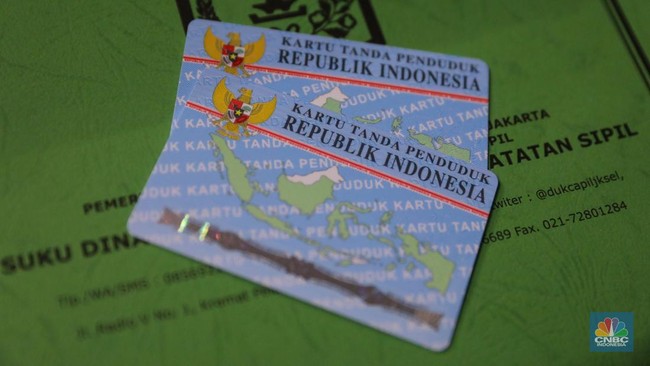
Cases of personal data misuse are increasingly rampant in the digital era. One of the most troubling is the theft of the National Identity Number (NIK) from KTP cards for the submission of illegal online loans. Many citizens only realise their data has been used to rack up debt when they are suddenly contacted by debt collectors.
To anticipate this, the public is urged to be more proactive in checking the status of their personal data. The Financial Services Authority (OJK) itself has provided an official service that the public can use easily and for free to track whether their NIK KTP has been misused for online loans.
The service is iDebku, previously known as BI Checking (OJK Financial Information Service System/SLIK). Through this service, the public can view their entire credit and loan history recorded under their name.
Here is a complete guide on how to check your NIK KTP via the OJK SLIK service online:
How to Check NIK KTP via OJK iDebku
The public can access this service via mobile phone or computer without having to visit an OJK office. The steps are as follows:
Open the Official Page: Access the official iDebku site via the link https://idebku.ojk.go.id.
Select the Registration Menu: On the main page, click the "Pendaftaran" (Registration) button.
Fill in the Availability Check Data: Enter the requested data, including Debtor Type, Identity Type (select KTP), Identity Number, Nationality, and the available captcha code. Once done, click "Selanjutnya" (Next).
Fill in the Registration Form: If the registration quota is still available, you will be asked to fill in a complete personal data form, including name, gender, place and date of birth, email address, and active phone number.
Upload Supporting Documents: Upload a photo of the original KTP card, a selfie photo holding the original KTP, and a selfie photo following the instructions displayed on the screen.
Validate and Submit: After all data and documents are uploaded, tick the consent statement and click "Ajukan Permohonan" (Submit Application).
After successful registration, you will receive a registration number via the registered email. The OJK will then verify the data. The results of the check or iDeb (Debtor Information) will be sent to your email no later than one working day after the registration is approved.
How to Read the Results and Steps if a Mysterious Online Loan is Found
After receiving the iDeb document from the OJK, carefully examine the credit or financing information column. It will list the financial institutions (banks, multi-finance companies, or official fintech/online loan companies) where you have credit commitments.
If you find a loan transaction or debt from an online loan company that you never applied for, immediately take the following legal and mitigation steps:
Report to the OJK: Submit an official complaint via OJK Contact 157 or email to [email protected] by attaching the iDebku evidence.
Contact the Relevant Online Loan Company: Clarify to the listed online loan company that your data has been illegally misused by another party.
File a Police Report: Report this personal data theft case to the police (local Regional Police/Resort Police or via the official patrolisiber.id website) so that you have legal standing if forced collection occurs in the future.
The OJK constantly reminds the public to maintain the confidentiality of their personal data, such as not carelessly sharing photos of their KTP or providing sensitive data to unknown parties.