
How to Check PLN Power Outages and Submit Complaints Online
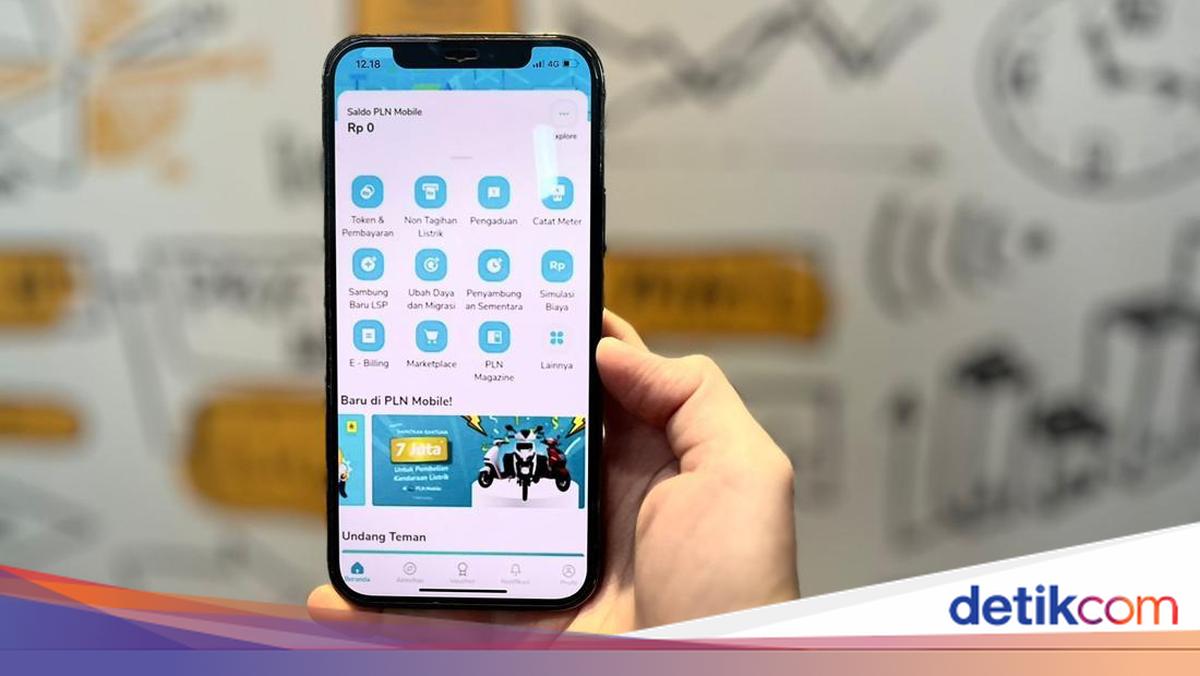
Power outages are among the most sought-after information by the public, especially when electrical disruptions occur in an area. By knowing outage information early, people can adjust their activities and gain certainty regarding the electricity supply conditions in their surroundings.
PT PLN (Persero), through the PLN Mobile application, provides a number of digital services that make it easier for the public to check power outage information online. Additionally, customers can also submit complaints or disruption reports through the official channels provided.
How to Check Power Outages Nearby
The public can check PLN power outages around their residential location through the PLN Mobile application. This feature helps customers find out whether an electrical disruption is occurring in a specific area, view the affected areas, and obtain information on the condition of the electricity network around the customer’s location.
Referring to PLN Mobile’s official service, power outage information can be accessed through the ‘Cek Padam Sekitar Saya’ (Check Outages Around Me) feature available in the Pengaduan (Complaints) menu.
Here is how to check PLN power outages online:
Download and open the PLN Mobile application.
Log in using a registered mobile phone number.
Select the Pengaduan menu on the main page.
Click the Cek Padam Sekitar Saya feature.
Select the Customer ID or number to be checked.
Wait a few moments for the system to process the data.
The application will display a map along with information on the electricity conditions around the customer’s location, including areas currently experiencing disruptions or outages.
Through this feature, customers can find out about power outages around their homes without needing to contact PLN customer service first.
How to Report a Power Outage to PLN
Besides being used to check power outages, PLN Mobile can also be used to report electrical disruptions occurring at homes or business premises. This complaint service can be utilised when a power outage only occurs at the customer’s location or when an electrical disruption is found that requires handling by PLN officers.
According to official PLN service information, power outage reports can be submitted through the PLN Mobile application or the PLN 123 Call Centre. After the report is sent, customers can monitor the status of the disruption handling directly through the application.
Here is how to report a power outage via PLN Mobile:
Open the PLN Mobile application.
Select the Pengaduan menu.
Choose the Listrik Padam (Power Outage) category.
Select the registered Customer ID or meter number.
Confirm the location point on the map that appears on the screen.
Fill in a brief description of the disruption that occurred.
Click Kirim Pengaduan (Submit Complaint).
After the report is successfully sent, customers can monitor the handling progress and the arrival status of PLN officers in real time through the application.
If unable to access PLN Mobile, customers can also submit power outage complaints through the Live Chat feature on the PLN Mobile application or make a call via the PLN 123 Call Centre.