
How to Check Electricity Usage History on PLN Mobile: A Step-by-Step Guide
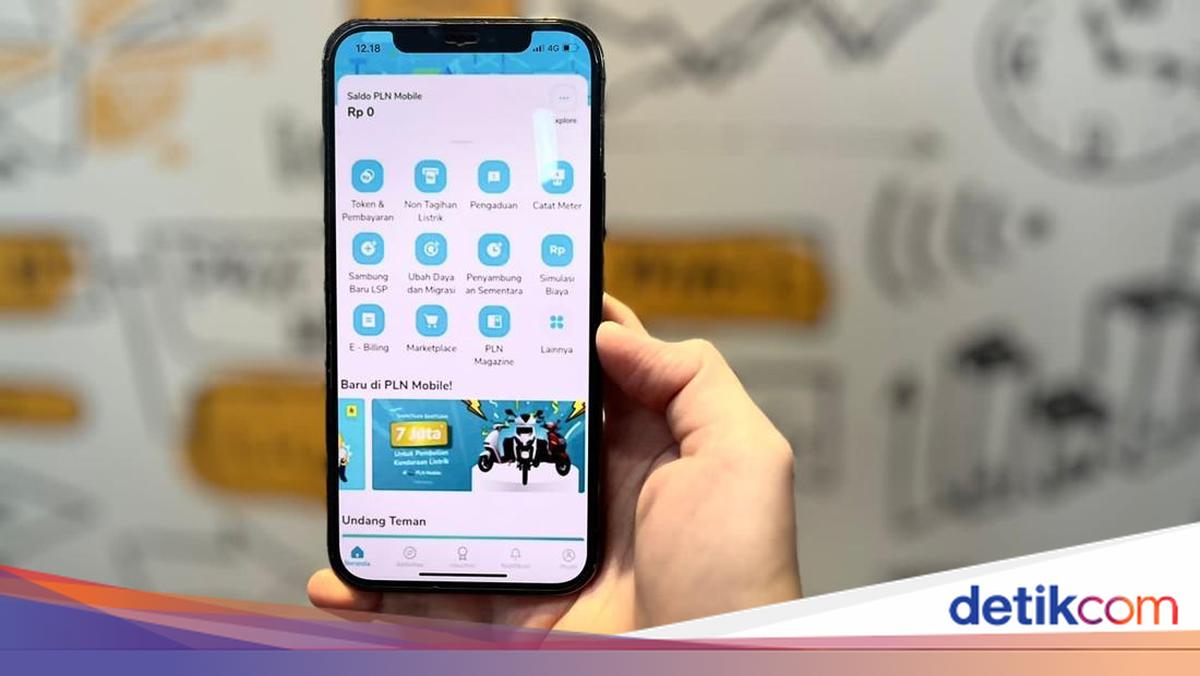
The public can now monitor household electricity usage more easily through the PLN Mobile application. This feature helps customers understand their consumption patterns so they can control energy use and anticipate bill spikes. In addition to payments and token purchases, PLN Mobile provides online access to electricity usage history. By using this feature, customers can view consumption data for specific periods without having to visit a PLN office.
Why Check Electricity Usage History?
Monitoring electricity usage history helps customers determine whether home consumption remains within normal limits or has increased. This information is useful for evaluating daily electronic appliance use and managing energy consumption more efficiently. Through historical usage data, customers can also compare electricity usage from month to month. Consequently, changes in consumption patterns can be identified more quickly, allowing conservation measures to be taken promptly if needed.
How to Check Electricity Usage History on PLN Mobile
Referring to information shared via the official PLN Mobile account, customers can check their electricity usage history directly through the PLN Mobile application with the following steps:
Download and open the PLN Mobile application.
Select the ‘Token and Payment’ menu on the main page.
Click ‘Add Customer ID’ if the customer number has not been registered.
Enter the Customer ID.
Select ‘Usage History’ for postpaid customers or ‘Token Purchase History’ for prepaid customers.
After these steps are completed, electricity usage information or token purchase history will be displayed in the application. This data can be used as a reference to monitor electricity consumption regularly.
Additional Feature for Postpaid Customers
According to information from PLN Mobile, postpaid customers can also utilise the SwaCAM feature available in the application. This feature allows customers to independently upload photos of their meter reading figures. The presence of this feature makes the meter recording process more practical. Customers can also directly participate in reporting electricity usage through the application without waiting for a visit from an officer. By routinely checking electricity usage history via PLN Mobile, customers can monitor energy consumption more accurately. This simple step can help keep electricity usage under control while supporting better monthly bill management.