
How to Activate e-KTP as IKD Using Only a Mobile Phone — Do You Need to Visit Dukcapil?
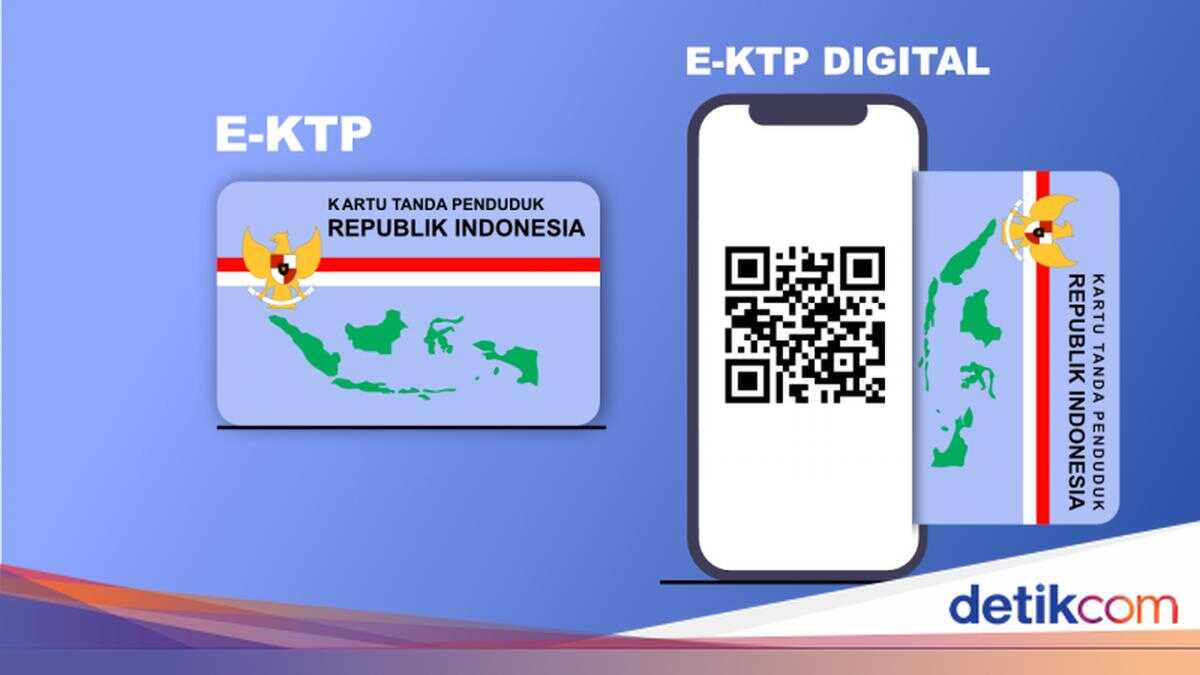
Digital Population Identity, or IKD, is the digital form of Indonesian citizens’ identity, including the Identity Card (KTP), Family Card (KK), and other documents. In order to be used, IKD must be activated first.
Before delving into activation, readers may wonder about the importance of IKD. After all, physical KTP and KK already exist.
In simple terms, IKD facilitates access to public service facilities. Rather than collecting photocopies of KTP or other documents, citizens can use IKD and show it to officers. Practical, isn’t it?
Additionally, implementing IKD narrows the risk of identity fraud and data theft because it is connected via a network. Furthermore, IKD supports the acceleration of government digital transformation because population data is integrated in real time. The aim is for IKD to make public services more efficient, secure, and user-friendly.
Returning to the main question, how is IKD activation carried out? Is it necessary to visit Dukcapil to complete the procedure? Below, DetikJogja details the steps in detail.
Key Points:
IKD is an application containing essential civil documents, such as KTP, KK, and birth certificates.
To activate IKD, residents must visit the Dukcapil office. The purpose is to ensure personal data is safe from unscrupulous hands.
Documents within IKD can be downloaded through the submission mechanism. The documents will be sent via the registered email.
IKD Activation: Must You Go to Dukcapil?
If you look at tutorials uploaded by government regional accounts, IKD activation requires the public to attend in person at the Department of Population and Civil Registration. Must you go in person?
According to a statement from the official Instagram account of the Directorate General of Population and Civil Registration, Ministry of Home Affairs of the Republic of Indonesia, @dukcapilkemendagri, IKD activation must indeed be performed at the local Dukcapil office. The aim is to guarantee data security.
‘Activation is performed in front of an officer because it is solely for the security of personal data. With activation in front of an officer, the person and the device are directly verified by Dukcapil staff, thereby preventing someone else from activating another person’s IKD on their smartphone,’ read the caption of a post dated 22 September 2023.
In fact, the initial IKD activation process can be done independently at home, using only a mobile phone and internet. However, to complete activation, residents require a QR Code that can only be obtained at the Dukcapil counter.
IKD Activation Procedure:
Download the IKD app from Play Store or App Store.
Open IKD, then consent to the required requests.
Tap ‘Continue’ or ‘Skip’ on the initial IKD pop-up.
Click ‘Finish’ when the page reads ‘Selamat Menggunakan Aplikasi Identitas Kependudukan Digital’ (Welcome to the Digital Population Identity Application).
Scroll to the bottom of the end-user licence agreement page. Toggle the consent, then press ‘Continue’.
Choose the ‘Offline Registration’ option. Tap ‘Yes’ in the notification that appears.
Enter the required personal data, from the National Identification Number (NIK) to the phone number. Tap ‘Process’ after completing.
Follow the facial recognition procedure.
Visit the local Dukcapil office, then scan the QR code from the officer. You can also attend Dukcapil events.
Check the registered email to receive the activation code.
Enter the activation code and captcha to complete registration.
How to Download Documents from IKD:
Based on information from Instagram account of Dispendukcapil Kota Mojokerto, @dispenduk_kotamoker, there are several documents that can be printed directly from IKD. These include KK, relocation letter, birth certificate, and death certificate.
How to do it? Summarised from the site of Dukcapil Kabupaten Jombang, here are the steps to download KK as an example:
Ensure you have the IKD app and have activated it.
Open IKD, select the ‘Service’ option.
Enter the captcha and the verification code, then tap ‘Login’.
Select the ‘Print Family Card’ request.
Fill in the required data, including the ‘Notes’ field.
After completing, enter the captcha and press ‘Submit’.
Tap ‘Yes’ on the notification that appears.
Check email. In the inbox, the KK will be sent as a PDF.
Copy the PIN that appears in the email.
Scan the QR code that is sent. Then enter the PIN along with the required captcha.
Save the KK PDF. Detikers can print it on A4 80 gsm plain paper.
That is how to activate e-KTP into IKD. Hopefully these steps help, detikers!
FAQ
- Is there a fee to create IKD?
No. IKD activation is free of charge.
- Do you have to visit Dukcapil to register for the IKD app?
Yes. To complete IKD activation, residents must visit the nearest Dukcapil office. Staff will provide a QR code to scan to obtain the activation code via email.
- Is IKD mandatory?
IKD activation is not mandatory. However, residents are encouraged to activate it promptly.