
Guide to Checking DTSEN Deciles for Social Assistance: Can Your Decile Suddenly Increase?
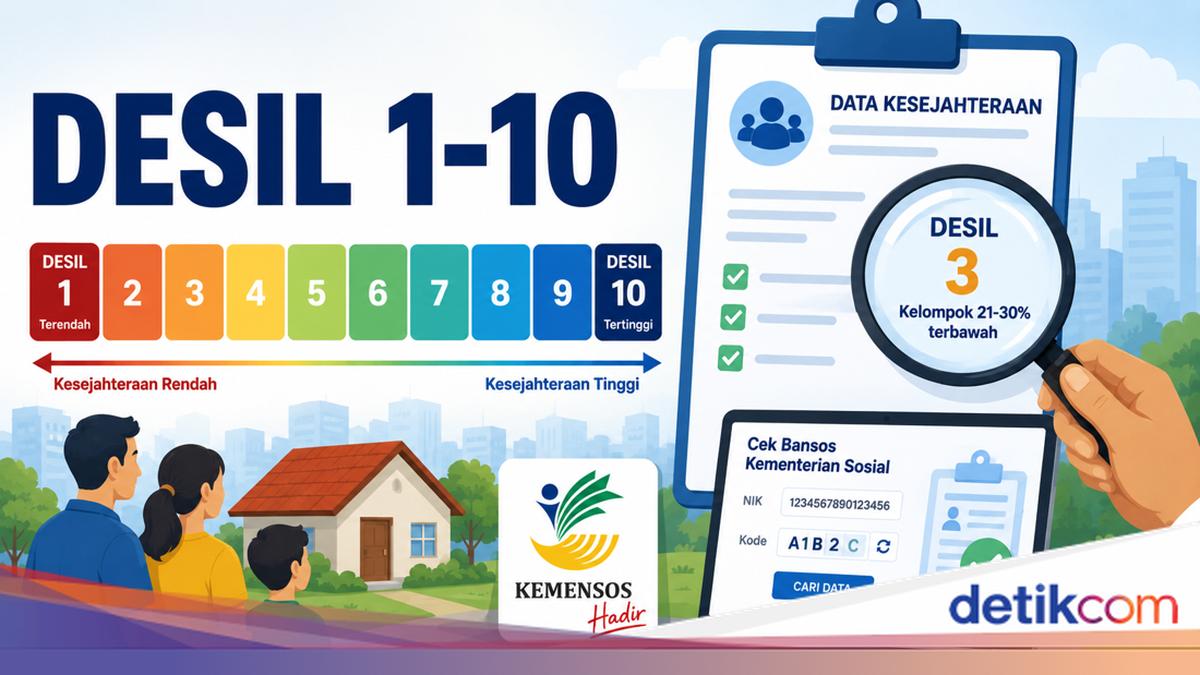
The online sphere has been abuzz with news regarding the Ministry of Social Affairs’ social assistance deciles. Several citizens have reported their decile suddenly increasing, while others were surprised to find their National Identity Number (NIK) classified under decile 9 or 10.
According to the official website of Sumberwuluh Village, a decile is a classification of community welfare levels integrated into the Social Welfare Integrated Data (DTKS). It is important to note that DTKS has now been replaced by the National Single Socio-Economic Data (DTSEN).
Deciles are divided into 10 levels. Citizens classified in decile 10 are considered to have the strongest economic standing, while decile 1 represents the opposite. The purpose of this decile system is to help the state distribute social assistance more precisely.
Here is a guide on how to check your DTSEN decile:
Via the BPS DTSEN Form Website
Open a browser and enter the link https://dtsen-form.bps.go.id.
Once the page loads, press ‘Lainnya’ (Others).
Enter your National Identity Number (NIK) in the provided field.
Complete the captcha code below.
Ensure the NIK and captcha are correct, then click ‘Cek Data’ (Check Data).
If your NIK is in the DTSEN database, a pop-up will appear stating ‘NIK ditemukan pada basis data DTSEN’ (NIK found in the DTSEN database).
Click ‘Tutup’ (Close) on the pop-up, then press the ‘Cek Desil’ (Check Decile) button.
Enter your date of birth and the captcha, then click ‘Cari Data’ (Search Data).
The website will display a pop-up containing your decile information.
Via the Ministry of Social Affairs’ Cek Bansos Website
Access the Cek Bansos Kemensos website via the link https://cekbansos.kemensos.go.id/.
Enter your NIK and the captcha code. If the code is unclear, you can request a new one.
Press enter on your keyboard or click the ‘Cari Data’ button.
The website will display your name, decile, and the distribution status of three types of social assistance: the Sembako/BPNT Programme, PKH, and PBI-JK.
Via the Cek Bansos Application
Download the Cek Bansos Kemensos application from the Play Store or App Store.
Open the application and select the ‘Cek Bansos’ menu.
Enter your 16-digit NIK in the provided field.
Press ‘Cari Data’.
The application will display your name, decile, and the distribution status of six types of social assistance.
Details of Deciles 1-10 in DTSEN
Once you know your decile, you may want to understand its meaning. According to the official website of Morowudi Village, Gresik Regency, the details are as follows:
Decile 1: Very poor, or the poorest 10%
Decile 2: Poor
Decile 3: Near poor
Decile 4: Vulnerable to poverty
Decile 5: Relatively stable lower middle class
Decile 6: Middle class
Decile 7: Upper middle class
Decile 8: Established
Decile 9: Wealthy
Decile 10: Very wealthy
Can a Decile Suddenly Increase?
According to an explanation from the official Instagram account of Kalurahan Panggungharjo, a decile increase is possible. This is because citizen data is continuously updated by the Centre for Social Welfare Data and Information (Pusdatin Kesos).
“Pusdatin, or the Ministry of Social Affairs’ Data and Information Centre, updates the data every three months. So, if a decile goes up, it is likely because the individual has recorded assets,” explained a post from Kalurahan Panggungharjo, cited on Friday (14/8/2026).
It was explained that the Ministry’s data is connected to databases from other state institutions. Therefore, the amount of savings in a bank, land ownership, and even vehicle ownership can be detected. These factors can cause a decile increase.
However, if the classification is deemed inaccurate, citizens can submit a request for a data correction. That said, the process is not instant and requires time for verification.
How to Request a Data Correction
There are two ways to request a data correction. The first is via the Cek Bansos application, and the second is by visiting the local village, sub-district, or social service office directly.
Via the Cek Bansos Application
Download the Cek Bansos Kemensos application from the Play Store or App Store.
Log in if you already have an account. If not, select ‘Pendaftaran Akun’ (Account Registration).
Choose ‘Buat Akun Baru’ (Create New Account) and complete the data, including your Family Card number, ID photo, and a selfie.
Select ‘Buat Akun’ (Create Account) once the data is filled in.
Log in using the username and password you registered.
Once on the main page, select the ‘Usulkan Pembaruan’ (Propose Update) menu.
Answer the available questions according to your actual situation.
A social assistance officer will visit your home to conduct a ground check.
Via the Village/Sub-district/Social Service Office
Visit your local sub-district office or Social Service office.
Submit a request to the officer to update your DTSEN data.
Follow the survey or verification process conducted by the officer in the field.
Wait for the officer to process the collected data.
Participate in the deliberation process at the village or sub-district level to determine DTSEN changes.
Wait for the Central Statistics Agency (BPS) to re-rank the deciles, which is conducted every three months.