
Easy Ways to Check and Print Family Cards Online, No Need to Visit Dukcapil
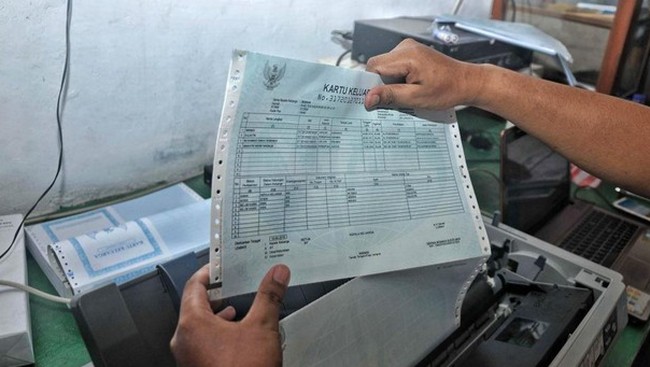
The public needs to verify the accuracy of their Family Card (Kartu Keluarga or KK), as the data contains family member information and is a requirement for various administrative matters, from school registration to BPJS enrolment. Data verification and printing of the KK can be done directly at the Population and Civil Registration Office (Dukcapil), but citizens can also do it themselves online.
One service that can be utilised is the Digital Population Identity (Identitas Kependudukan Digital or IKD) application, available on Google Play Store or App Store. Additionally, the Dukcapil website, email, and hotline can also be used to check population data on the KK.
How to Check and Print a Family Card Without Going to Dukcapil:
- Via the IKD Application
Download the IKD app from Google Play Store or App Store. After a one-time activation at a Dukcapil office, log in using your PIN. Select the ‘Documents’ menu and choose the Family Card document. Enter your PIN again, and your KK will be displayed in digital form.
- Via the Dukcapil Website
Visit the official site at https://www.dukcapil.kemendagri.go.id. Select the menu Layanan > Cek NIK/KK. Enter your data: NIK, KK number, full name, and mother’s maiden name. Click Cek, and the KK data will be displayed if valid.
- Via Dukcapil Email
Send an email to [email protected] with the subject: Permohonan Cek Status KK. Include your personal data: full name, NIK, KK number, phone number, and the reason for the check. You will receive a reply within approximately 1x24 hours.
- Via Official Social Media
Contact the official Dukcapil accounts on Facebook (Ditjen Dukcapil), X (@ccdukcapil), or Instagram (@dukcapilkemendagri). Send a direct message containing your data and the purpose of the KK check. Avoid posting personal data in public comment sections.
- Via Hotline
Call 1500-537. Prepare complete data such as your NIK and KK number for verification. An officer will assist you with the check directly over the phone.
How to Print KK Online via the IKD App:
Open the IKD app and log in using your PIN. Select the Pelayanan menu > Permohonan Cetak KK. Fill in the reason for the application, then click Ajukan. Check the status of your application in the Pemantauan Layanan menu. If approved, the KK file in PDF format will be sent to your email.
How to Print the KK Yourself:
Use a regular printer and print the KK on plain white HVS A4 80 gsm paper. The digital KK document is equipped with a QR code that serves as an electronic signature, replacing a wet signature. A self-printed KK remains legally valid.