
BI Checking Has Changed: You Can Now Check Your Own Debts Online
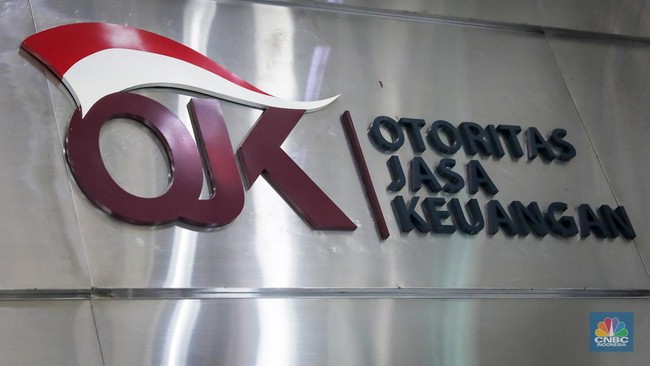
Jakarta, CNBC Indonesia — Credit histories are no longer checked through Bank Indonesia’s BI Checking service. Since 2018, the public has been able to do so through the Financial Information Services System (SLIK), managed by the Financial Services Authority (OJK).
Checking your credit history is an important step if you plan to apply for a home ownership loan (KPR), a business capital loan or a new credit card. It allows you to make sure your financial record is in good order beforehand.
The public can access SLIK online through OJK’s official iDebku portal at https://idebku.ojk.go.id. The platform is directly integrated with OJK’s head office and regional offices across Indonesia, so the information provided is accurate and legally valid.
The portal transparently records all debt history under your name, from commercial banks and finance companies to technology-based lending providers (pinjol).
What information does OJK’s SLIK contain?
The Debtor Information Report (iDeb) issued by OJK provides comprehensive details of all credit facilities you currently have or have had, including:
Working capital and investment loans
Motor vehicle loans (KKB)
Home ownership (KPR) or apartment loans
Unsecured loans (KTA) and credit cards
Secured loans, backed by gold, deposits or other assets
Repayment history and status (collectability: current, special mention, substandard, doubtful or loss)
This information is the main reference used by banks and financial institutions to assess credit applications.
A step-by-step guide to checking SLIK through iDebku
Checking your credit score through iDebku is straightforward and can be done independently. Follow these steps:
Stage 1: Register an account and submit an application
Open a browser on your phone or computer and visit https://idebku.ojk.go.id.
On the homepage, click “Registration”, then select “Check Service Availability”.
Enter the requested initial details: debtor type (individual or business entity), nationality (Indonesian or foreign), identity document (identity card or passport), and identity number.
Enter the CAPTCHA code shown, then click “Next”. If a notification says the quota is full, the daily queue has reached capacity. Try again at quieter times, such as early in the morning before working hours or in the evening, when the quota is refreshed.
Fill in your personal details, including your full name, sex, place and date of birth, address, active email address, mobile number, mother’s name and purpose for the application, then click “Next”.
Upload the required documents. Each file must be no larger than 4 MB; ensure the images are clear and not blurry:
A photograph of your original identity document (identity card or passport).
A selfie while holding the identity document.
A photograph of yourself following the instructions displayed on screen.
Click “Next”, then select “Submit Application”.
Tick the declaration confirming that the information is correct and that you agree to OJK’s terms and conditions, then click “Submit Application” again.
Once registration is successful, save or copy the application number displayed on screen so you can track your request.
Stage 2: Check the application status
Return to https://idebku.ojk.go.id.
Select “Service Status”.
Enter the application number you saved.
The system will automatically display your application’s verification status.
Under OJK rules, the iDeb SLIK report will be sent directly to your active email address as a digital document no later than one working day after registration has been verified.
Source: jawawa.id (https://jawawa.id/newsitem/bi-checking-has-changed-you-can-now-check-your-own-debts-online-1794739826)
Originally published by CNBC Indonesia (https://www.cnbcindonesia.com/tech/20261115113524-37-785338/bi-checking-sudah-ganti-anda-bisa-cek-utang-sendiri-lewat-internet), translated from Indonesian