
An Affordable Way to Book GrabCar in Groups with Shared Payments
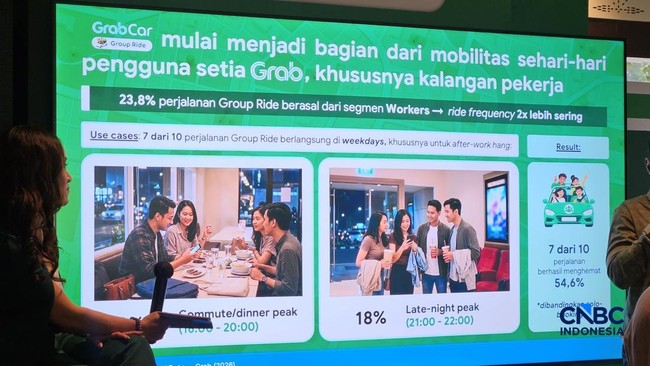
Grab has introduced the GrabCar Group Ride feature, which was launched last April. This allows you to travel to and from destinations with friends, family, or colleagues within a single GrabCar order.
GrabCar Group Ride also enables users to travel together in one vehicle using a transparent fare-sharing scheme. You can act as the Host, who creates the group order, or join as a member. Below is the method for booking GrabCar Group Ride as either a host or a member.
How to Book as a Group Creator (Host):
Select ‘Group Ride’ in the Grab application, then click ‘Start’.
Enter the Pick-up Point & Destination, then press ‘Select this pick-up’.
Select the GrabCar service, then click ‘Invite’ and share the link via messaging applications.
Set the payment method and click ‘Book group ride’ once all members are ready.
How to Join (Member):
Click the invitation link provided by the Host.
Enter your Pick-up Point & Destination.
Click ‘I am ready’ and wait for the Host to complete the booking.
There are three payment options and travel scenarios available. Firstly, you can split the fare equally. Alternatively, you can split it proportionally based on the distance travelled. It is also possible for the full amount to be paid by a single passenger.
Regarding travel scenarios, passengers can be picked up from and dropped off at the same destination. Another option allows for different pick-up points but with the same destination. The final option involves being picked up from the same point but travelling to different destinations.