
6 Steps to Take When Your Phone Is Lost to Keep Your Bank Account Safe
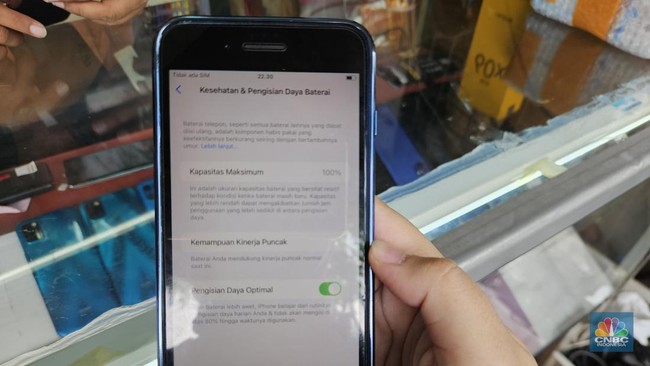
Losing a mobile phone is no longer just about losing a communication device. The gadget has become a crucial item connected to personal services, ranging from mobile banking, digital wallets, social media, to the Digital Population Identity (IKD). Therefore, the public needs to immediately secure all digital access so that personal data is not misused.
Director General of Dukcapil at the Ministry of Home Affairs, Teguh Setyabudi, urged the public to prioritise data protection over merely searching for the physical device. “The device can be replaced, but personal identity must remain protected. When a mobile phone is lost, do not just focus on finding the device. What is more important is to immediately secure all digital access stored inside it,” said Teguh.
He emphasised that population data in the central database remains safe, but access via personal devices must be secured immediately. IKD users are advised to contact the local Dukcapil Office directly to block access from the lost device.
Director of National Population Data Integration (IDKN) Handayani Ningrum outlined six priority steps that must be taken in sequence:
- Immediately Block the SIM Card
Your mobile number is the primary key for verifying all digital accounts. As long as the card has not been blocked, a thief can receive OTP codes, password recovery links, and transaction confirmations. How to do it: Contact your operator or visit an official outlet with your ID card. Emergency numbers: Telkomsel 188, Indosat 185, XL 817, Tri 132, Smartfren 888. You can block it temporarily until a replacement card with the same number is ready to use.
- Block Access to Financial Services
Once the SIM card is secure, immediately cut off access to mobile banking and digital wallets so your balance is not drained. How to do it: Contact the financial service call centre with your personal data and account number ready. Important numbers: BCA 1500888, Mandiri 14000, BNI 1500046, BRI 14017, DANA 1500445, GoPay 1500908, OVO 1500696. The block can be lifted after you replace your device.
- Change Your Primary Email Password
Email is the recovery centre for all accounts. If the email password is known, a thief can take over social media, online shopping, and even financial services. How to do it: Use another device to log into your primary email, create a password combining letters, numbers, and symbols. Immediately activate two-step verification via an authenticator app or a backup number; do not rely solely on SMS.
- Log Out of All Active Sessions
Changing your password alone does not disconnect ongoing access. This step ensures the lost phone is immediately disconnected from all accounts. How to do it: Go to the Security menu on your Google account, social media, e-commerce, and other services. Look for the option to “sign out of all devices” or “log out all sessions”.
- Use Remote Tracking and Locking Features
All modern phones have this feature to protect data while tracking the device’s location. How to do it: Open android.com/find for Android or icloud.com/find for iPhone via another device. You can play a sound, lock the screen with a return message, or permanently erase all data as a last resort.
- Monitor Transactions Regularly
Check your account mutations and payment history over the next few days to detect any misuse that might have been missed. How to do it: Check via an ATM, a new app, or the bank’s official website. If there is an unknown transaction, report it immediately as an unauthorised transaction and keep the official report number.
Handayani reminded the public of the importance of preparing emergency data early on. One thing that must be done is to write down the IMEI number, SIM card number, a list of emergency service numbers, and a backup email on paper or a separate notebook; do not just store it on the phone. Additionally, use strong passwords and PINs, activate two-step verification, and never give an OTP code to anyone. Avoid storing photos of important documents such as ID cards or family cards in the phone gallery.
“The more services connected digitally, the more important public awareness is in protecting personal identity,” she added. The Directorate General of Dukcapil urges the public to remain calm but act quickly. The right and sequential steps will keep digital identities and financial assets safe even if the physical device is not returned.
Source: jawawa.id (https://jawawa.id/newsitem/6-steps-to-take-when-your-phone-is-lost-to-keep-your-bank-account-safe-1785750792)
Originally published by CNBC Indonesia (https://www.cnbcindonesia.com/tech/20260803122412-37-756026/6-langkah-yang-harus-dilakukan-jika-hp-hilang-biar-rekening-aman), translated from Indonesian