
21,000 Vehicles Short on Toll Balance: Don't Forget to Top Up
JAKARTA, KOMPAS.com – PT Jasa Marga (Persero) Tbk has urged road users planning to start their return journey to Jabotabek to ensure sufficient electronic money (e-toll) balances. This step is considered crucial to maintain smooth travel, particularly during the 2026 Lebaran return flow period.
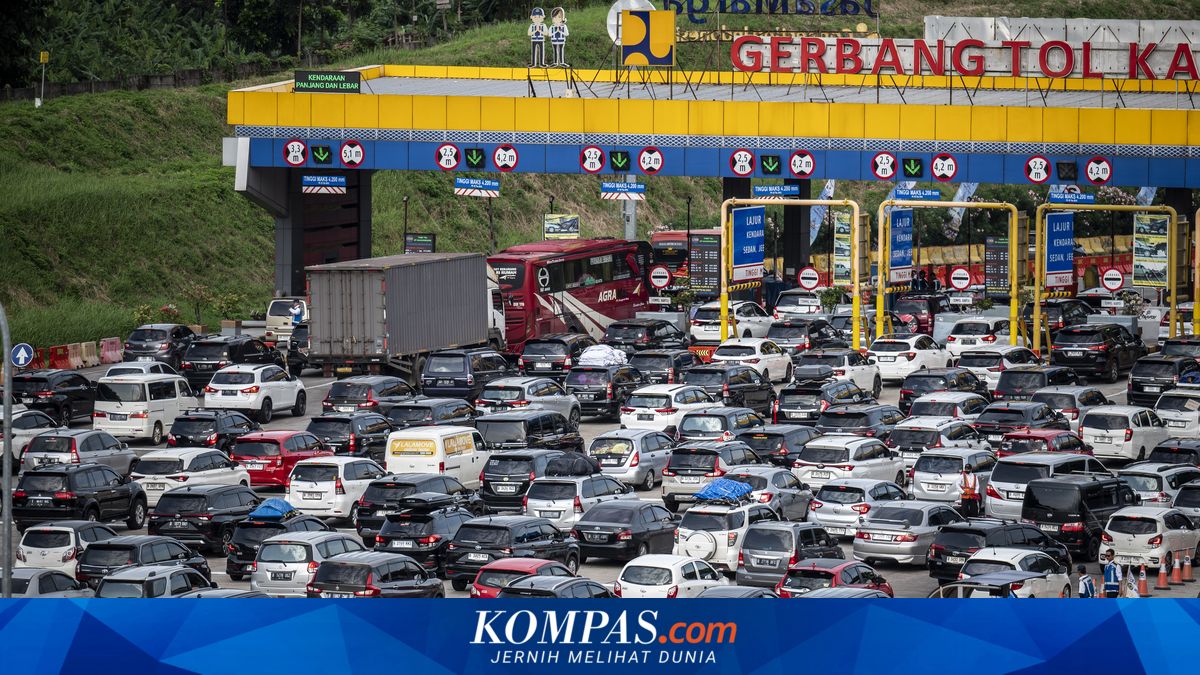
Based on an evaluation during the H-10 to H+1 period of the 1447H/2026 Idulfitri holiday, or 11–22 March 2026, around 21,000 vehicles experienced e-toll balance shortages while passing through the Kalikangkung Toll Gate on the Batang–Semarang Toll Road. This situation forced vehicles to top up on-site, impacting traffic flow.
“With e-toll shortages leading to high top-up activity at toll gates, this will cause significant delays and queues at the toll gates,” said Rivan in an official statement.
He added that similar conditions could recur during the return flow, especially at the Cikampek Utama Toll Gate. Therefore, road users are advised to anticipate their journeys by ensuring sufficient e-toll balances before entering the toll road.
For Group I vehicle users travelling from Semarang to Jakarta, a minimum balance of Rp500,000 is recommended. Meanwhile, for those from Surabaya to Jakarta, the minimum balance should be Rp1,000,000.
Jasa Marga reminds that if thousands of vehicles top up at the Cikampek Utama Toll Gate, it could disadvantage other users by extending travel times due to queues. Thus, road users are asked to regularly check their e-toll balances before travelling.
Additionally, Rivan emphasised the importance of using the same e-toll card for entry (tap in) and exit (tap out) transactions on closed-system toll roads, such as the Trans Java Toll Road.
“For transaction convenience, road users can top up e-toll balances through various channels, including the Travoy App, mobile banking services from the issuing bank, retail outlets/minimarkets, or top-up facilities at rest areas,” he concluded.
When passing through the Cikampek Utama Toll Gate, road users are also expected to obey traffic signs and follow on-site officer instructions. Even minor disruptions at toll gate areas can affect traffic flow and cause vehicle queues.
For the Jakarta-Semarang journey, a minimum e-toll balance of Rp500,000 is recommended. For the Jakarta-Surabaya journey, the minimum e-toll balance should be Rp1,000,000.
Currently, e-toll balance top-ups can be done independently using a mobile phone. However, this feature is only available on phones equipped with Near Field Communication (NFC) technology.
Here is how to top up toll card balances via marketplace:
Open the ‘Settings’ menu on your phone, search for the keyword ‘NFC’ in the search menu, and activate it.
Next, go to the digital wallet or marketplace app.
Select the ‘Top Up Bills’ menu on the main screen. This menu is the same across all digital wallets or marketplaces.
Enter the serial number printed on the back of the electronic card, then select the top-up amount and pay.
After payment, tap the card to the phone’s NFC area (usually below the rear or front camera) to update the balance.
The balance is now loaded, and the toll card can be used.
How to top up Flazz (BCA) balance:
Open the BCA mobile app.
Select m-BCA and enter the Access Code.
Select the Flazz menu.
Tap the Flazz card to the phone’s NFC area.
Select Top Up Flazz.
Select the desired top-up amount, or enter the amount in the Other Amount menu.
Enter the m-BCA PIN.
Tap the BCA e-toll or Flazz BCA card back to the phone’s NFC area until the top-up process is complete.
If the transaction is successful, the Flazz card balance will increase, and a “top up successful” message will appear.
How to top up TapCash (BNI) balance:
Log in to BNI Mobile Banking.
Select the Purchase/Payment menu.
Select the TapCash menu.
Select the top-up amount and input the 16-digit TapCash number.
Input the transaction password.
Receive successful confirmation.
Immediately perform Balance Update.
How to top up Mandiri e-toll balance:
Open the Livin’ by Mandiri app.
On the login page, select e-money. Activate NFC on the smartphone, then tap and hold the Mandiri e-money card.
Wait until the Mandiri e-money card is successfully read.
Once read, the app screen will display information about the Mandiri e-money card.
Enter the top-up amount for the Mandiri e-money and click Continue.
Double-check the amount before tapping Continue Top-up. Tap and hold the e-money card to update the balance.
Click Finish after the balance update is successful.